Configuring Input Owner Categories
The Input Owner Categories dialog box shows the built-in and custom input owner categories defined for the system.
To Configure Input Owner Categories
- Click the Input Items page of the ELF Editor.
- Click Owner Categories to view the Input Owner Categories dialog box.
- Configure the owners using the properties described below.
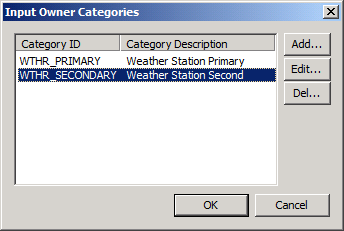
Configuring Input Owner Category
- Click Add to add a new Input Owner Category. See Configuring an Input Entry below.
- Click Edit to edit an existing Input Owner Category. See Configuring an Input Entry below.
- Click Delete Type to delete a Input Owner Category.
Configuring an Input Owner Entry
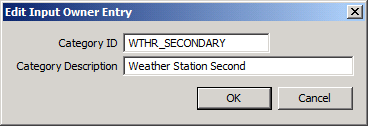
- Type a Category ID for the Input Owner Entry
- Type a Category Description for the Input Owner Entry.
- Click OK twice.

